

📝 英文生图提示词
A realistic photograph of a whiteboard with a highly detailed {argument name="marker color" default="green"} dry-erase marker drawing of {argument name="subject" default="a samurai with a messy topknot and facial hair, hands clasped in prayer"}. The character is drawn in a {argument name="art style" default="detailed manga sketch"} style, shown in profile with eyes closed, wearing a traditional kimono with a katana tucked into his belt. To the left of the character, handwritten text in all-caps reads "{argument name="text line 1" default="VAGABOND"}" with "{argument name="text line 2" default="MUSASHI"}" written directly below it. The whiteboard has a glossy surface with realistic light reflections and glare on the left side, and a thin metallic frame is visible at the bottom edge, giving the impression of an authentic classroom or office environment.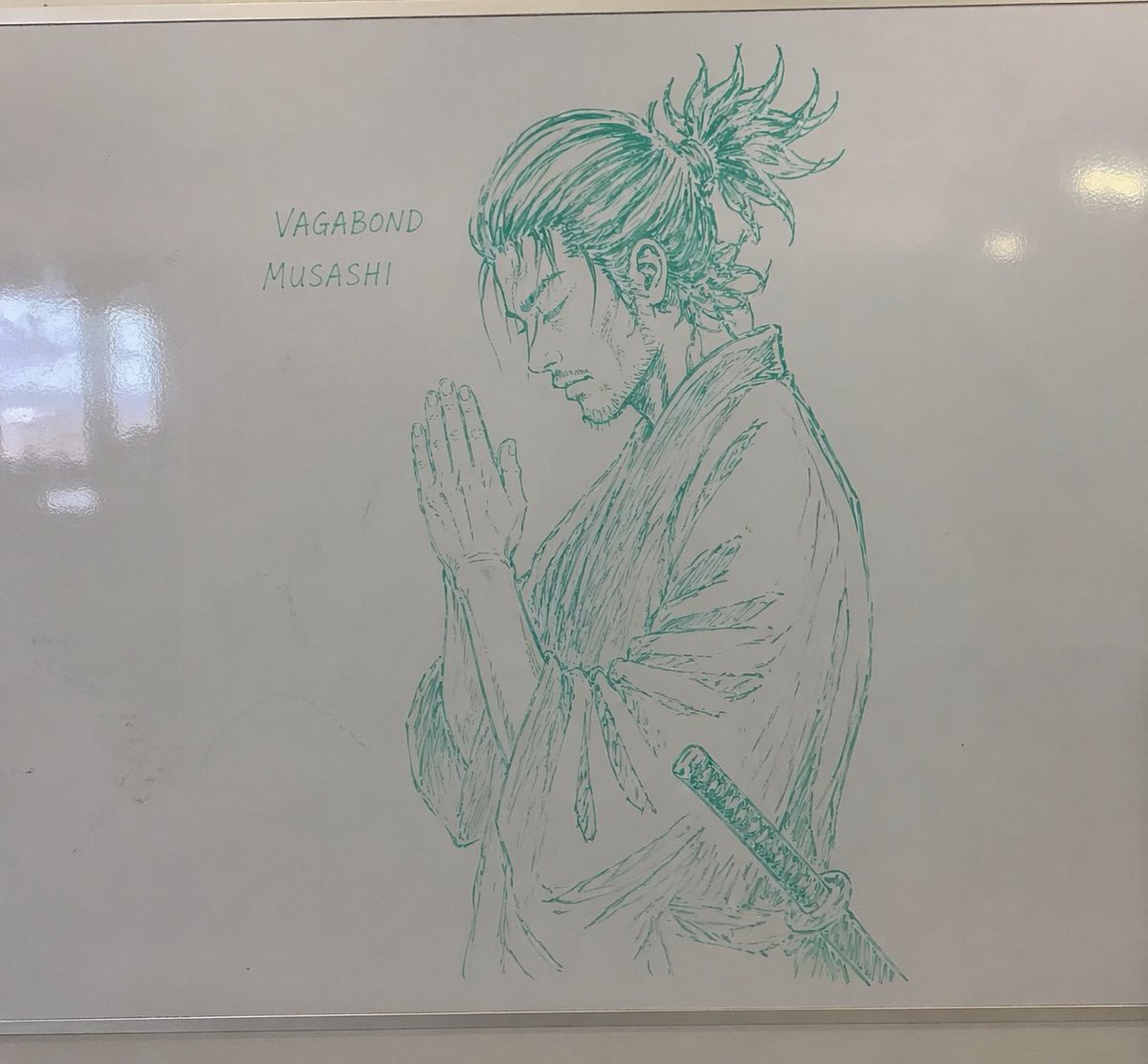
💡 提示词说明:本卡片提供高精度的 AIGC 生图咒语,点击下方 “Copy Prompt” 按钮即可一键复制原始英文提示词使用。
🔮 画面意境解析 (Prompt Translation)
AI 智能生成的艺术绘图提示词,呈现宏大唯美的视觉质感。
🧩 结构化咒语拆解 (Structure Breakdown)
- 主体 (Subject): 自定义画面主体
- 环境与背景 (Environment): 自定义背景空间
- 画风与光效 (Style & Light): 写实/插画/3D 艺术风格
🛠️ 避坑与参数建议 (Parameters & Tips)
推荐使用 Midjourney v6.0 或 Flux 1.0 模型生成,建议参数 –ar 9:16 –v 6.0
🧭 文中关联 AI 工具官网与参数卡(语宙 AI 导航)
❓ 常见问题解答(FAQ)
这个白板写实摄影提示词适合什么模型?
文章明确建议优先使用 Midjourney v6.0 或 Flux 1.0 生成,二者都适合表现白板反光、手写字和写实环境细节,尤其适合竖版海报或社媒配图。
提示词里的可替换参数有哪些?
可替换项包括 marker color、subject、art style、text line 1 和 text line 2。也就是说,颜色、人物、画风和白板文字都能按需自定义,方便批量改写。
为什么这个提示词能做出真实白板效果?
因为它同时描述了白板的光泽反射、左侧眩光、金属边框和教室/办公室环境,再叠加手写文字与写实摄影风格,能显著增强画面真实感。
🔬 语宙深潜追问 · 进阶实操拆解
白板写实图提示词怎么写才更稳?
先锁定主体、镜头视角、环境材质和光线,再补“写实摄影、自然阴影、真实反光”等约束。避免堆砌抽象形容词,尽量用可见元素描述,出图会更稳定。
Midjourney和Flux做这类图各怎么选?
Midjourney更适合快速出审美统一、氛围感强的成片;Flux更适合细节控制和文字结构相对清晰的画面。若要复用模板,先用MJ定风格,再用Flux做精修更高效。
🗳️ 读者观点微投票 · 您的实战立场是?
写实摄影风格生图,最关键是提示词还是参数?


